

What is technical SEO and why is it important?
Technical SEO is the process of optimizing your website’s infrastructure so that search engines can crawl, index, and understand your content. It ensures your site is accessible, fast, and structured correctly. Technical SEO services focus on identifying and fixing issues that impact performance, from crawlability and indexing to site speed and structure. Without strong technical SEO services in place, even high-quality content may not rank or be surfaced by AI-powered answer engines.
Search is no longer just about ranking in Google. Your site now needs to be crawlable, indexable, technically structured, and machine-readable for both traditional search engines and AI-powered answer engines. Understanding how SEO, AEO, and GEO overlap while recognizing their differences will set you up for long-term success. For a deeper breakdown, read The Evolution of Search: Your Unified Guide to SEO vs AEO vs GEO.
While AEO (Answer Engine Optimization) introduces new considerations, it does not replace technical SEO. It builds on it.
This guide provides a complete technical SEO checklist that supports:
- Traditional organic rankings
- AI extractability
- Clean indexing
- Crawl efficiency
- Machine-readable architecture
Technical SEO vs. AEO: What Actually Changes?
Technical SEO ensures search engines can crawl, index, and understand your site structure. AEO ensures AI systems can reliably extract and interpret your information. The difference isn’t about replacing fundamentals — it’s about strengthening them.
✅ The Complete Technical SEO Audit Checklist for SEO + AEO
1. Indexing Strategy (Not Everything Should Be Indexed)
One of the biggest technical mistakes is allowing search engines to index everything. Both Google and AI systems rely on indexed content — but irrelevant or low-quality URLs dilute authority.
✔ Indexing Strategy Checklist
- ☐ Submit and maintain a clean XML sitemap
- ☐ Include only indexable URLs in the sitemap
- ☐ Remove parameter URLs from index
- ☐ No staging or dev environments indexed
- ☐ No thin archives indexed (if low value)
- ☐ Paginated URLs handled correctly
- ☐ Confirm preferred domain (www vs non-www)
AEO Consideration:
AI systems pull from indexed, trusted URLs. If your index is bloated or polluted, it reduces domain clarity and authority signals.
2. Monitor Errors in Google Search Console
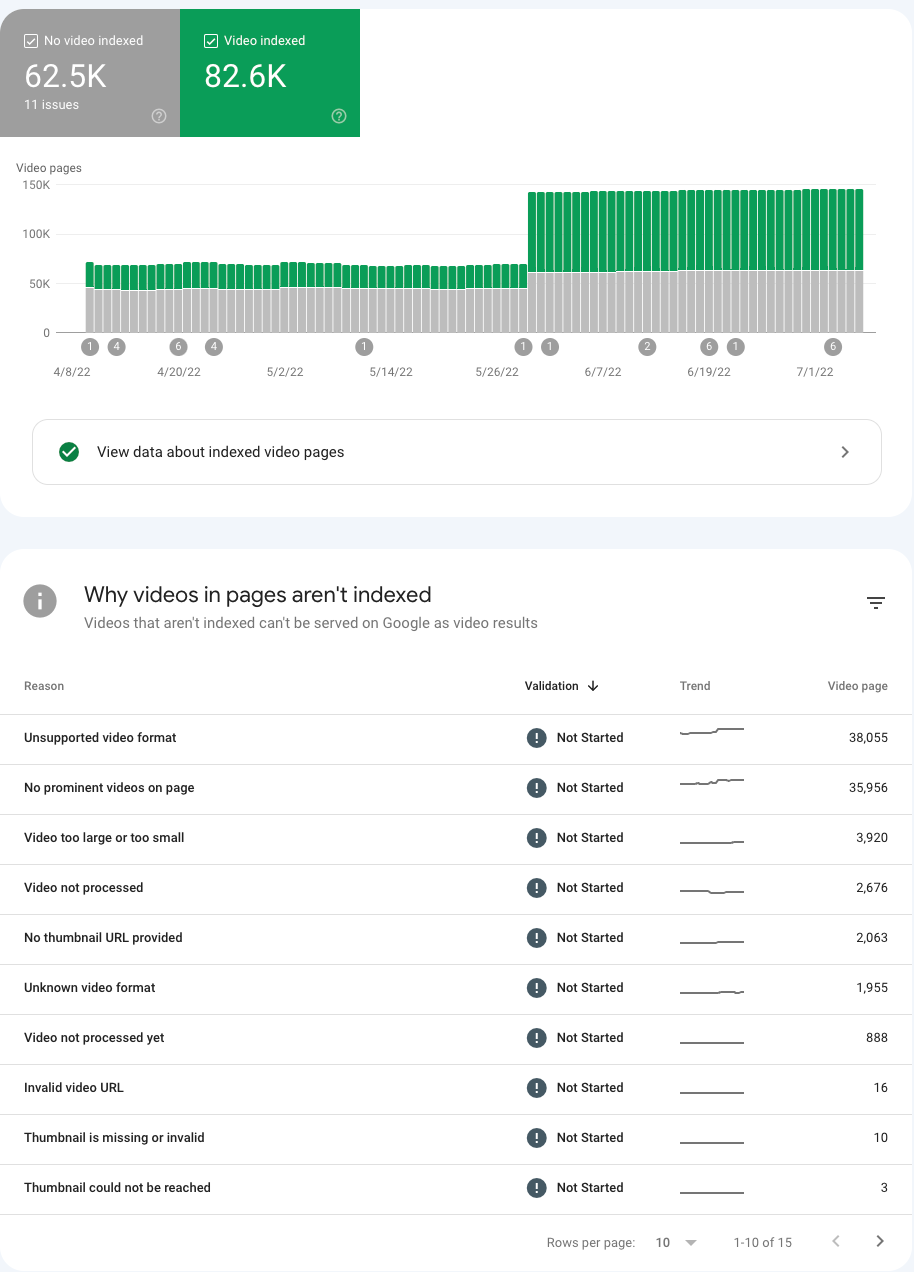
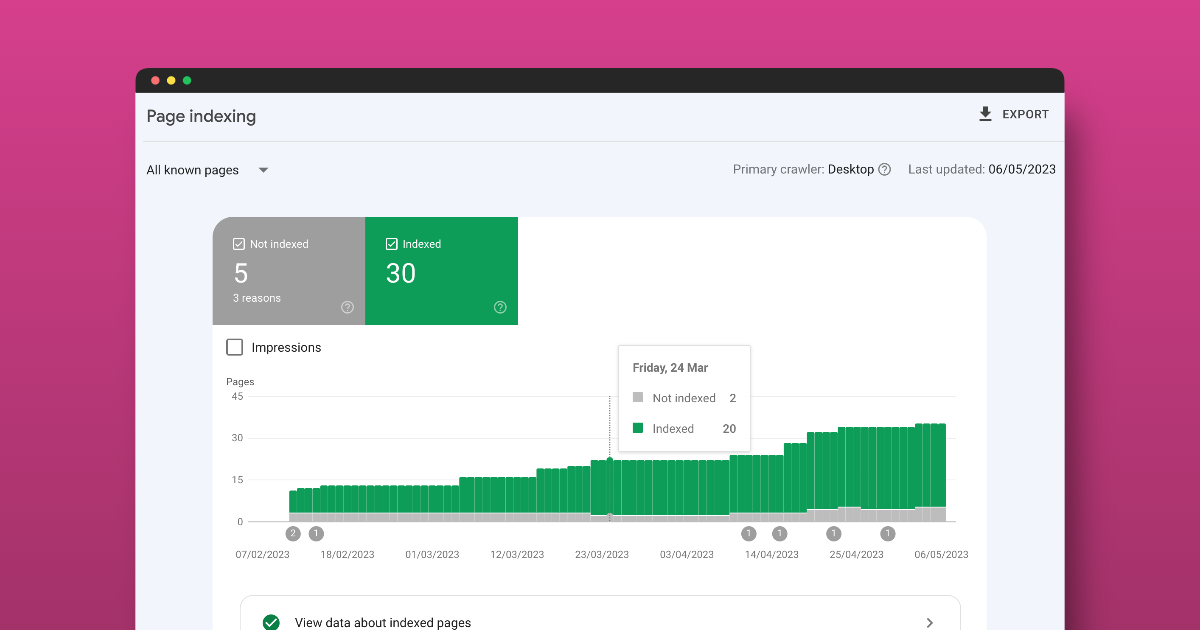
Review all non-indexed pages to understand why they are being crawled in the first place. Ask yourself whether these pages should be accessible to search engines.
If the answer is no, block them using the robots.txt file. If the answer is yes, investigate why they are not being indexed. One common issue is a canonical tag that does not match the intended URL, which can lead to de-indexing problems. The screenshot says “video,” but you’ll want to make sure you’re viewing all pages.
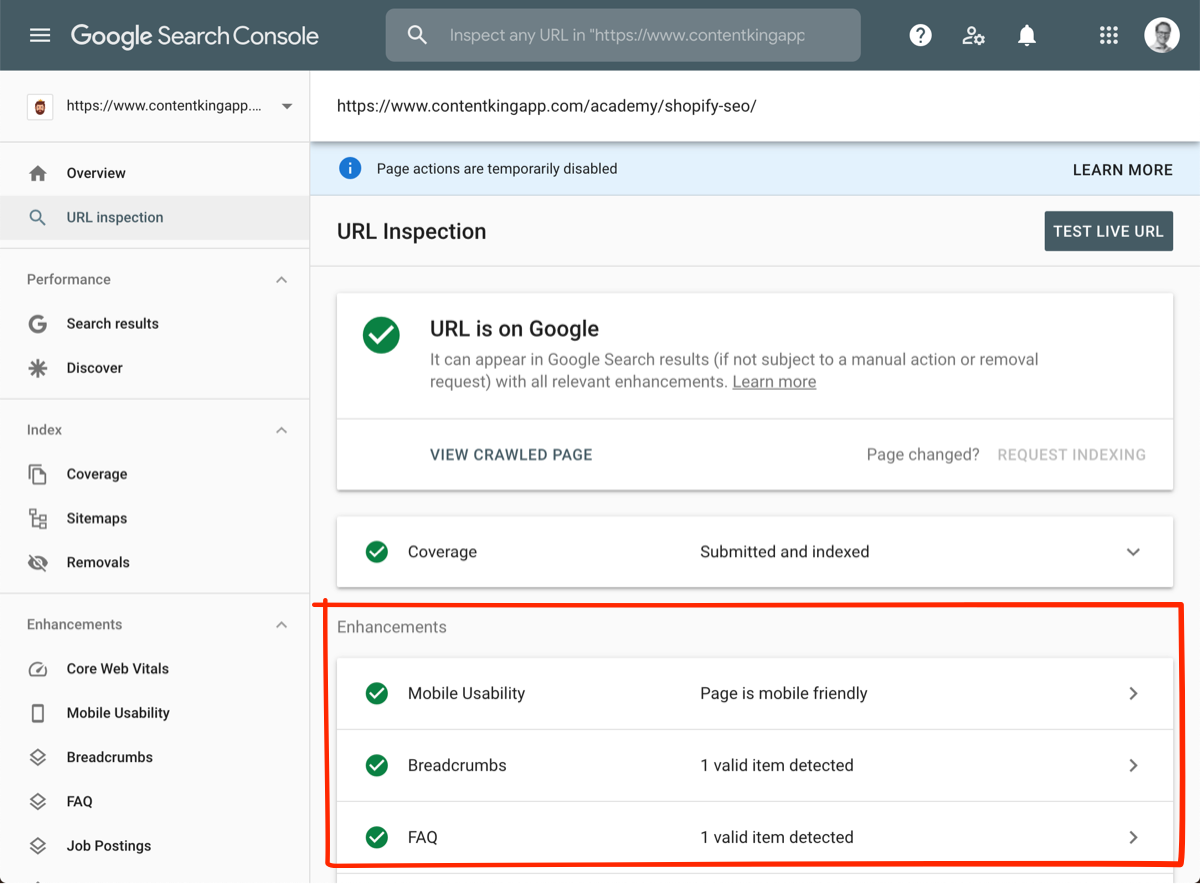
Check to make sure your URL is on Google; if it’s not, you can submit it to the index.
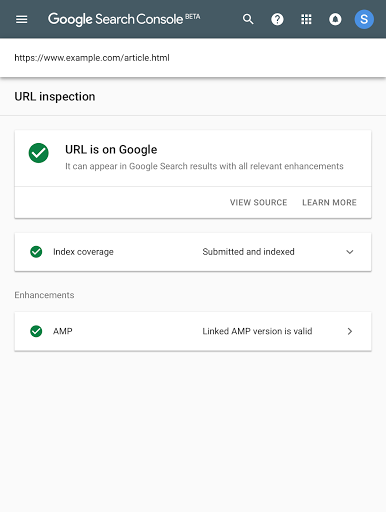
Google Search Console is your primary diagnostic tool for indexing, schema, and crawl errors.
✔ How to Check for Indexing Errors
Navigate to:
Indexing → Pages
Review:
- Crawled – Currently Not Indexed
- Discovered – Currently Not Indexed
- Duplicate Without User-Selected Canonical
- Alternate Page with Proper Canonical Tag
- HTTP vs HTTPS
- Subdomains or staging URLs
- 404 errors
- 5xx server errors
Use the URL Inspection Tool to confirm:
- Is the page indexed?
- Is it self canonicaled?
- Is it crawlable?
- Is it mobile-friendly?
✔ How to Check Schema Errors in GSC
Go to:
Enhancements → Rich Results
Look for:
- Invalid structured data
- Missing required fields
- Warnings
- Pages losing eligibility
If schema errors appear here, your structured data may not be machine-readable, which can impact both rich results and AI extraction. You can also use the Google Rich Results tool to validate your pages’ schema.
For AEO: If important URLs are excluded or structured data is invalid, AI systems are less likely to reference them. Having clean schema markup on your site helps search engines and AI platforms render your site’s information and help you optimize for featured snippets.
3. Crawl Your Site Like a Search Engine
Crawling reveals structural problems before they impact rankings.
Two essential tools:
- Screaming Frog SEO Spider
- Semrush
✔ Using Screaming Frog
Run a full crawl and check:
- 404 pages
- Redirect chains
- Broken internal URLs
- Canonical mismatches
- Duplicate URLs
- Non-indexable pages in navigation
- Random subdomains being crawled
✔ Detecting Schema in Screaming Frog
Under:
Structured Data Tab
You can:
- Detect schema types (Article, FAQ, Breadcrumb, etc.)
- Identify missing required fields
- See pages with no structured data
- Export schema validation errors
This is one of the fastest ways to audit structured data at scale.
✔ Using Semrush Site Audit
In the Site Audit tool:
- Check crawlability issues
- Identify broken links
- Surface orphan pages
- Review HTTPS implementation
- Monitor crawl budget waste
- Identify structured data errors
Look for:
- Subdomains not meant to rank
- Test environments indexed
- JavaScript rendering issues
- Hreflang issues
For AEO: Crawl clarity improves machine parsing reliability. All crawlers are different, but using two different crawlers, along with Google Search Console, should help you find every error so your site is squeaky clean.
4. Page Speed & Core Web Vitals
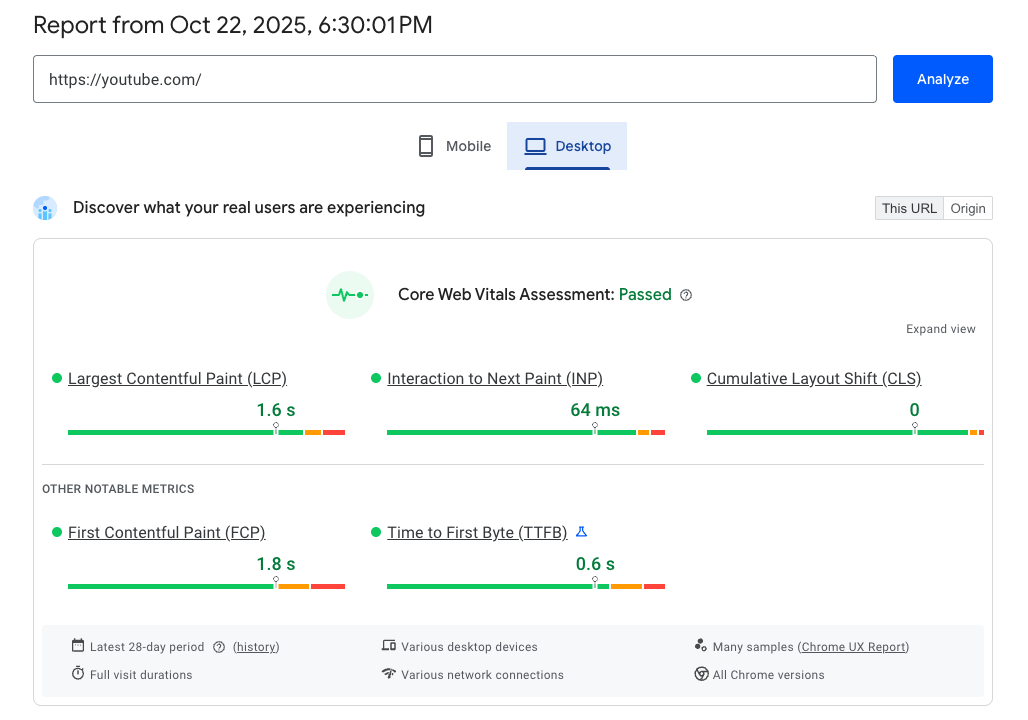
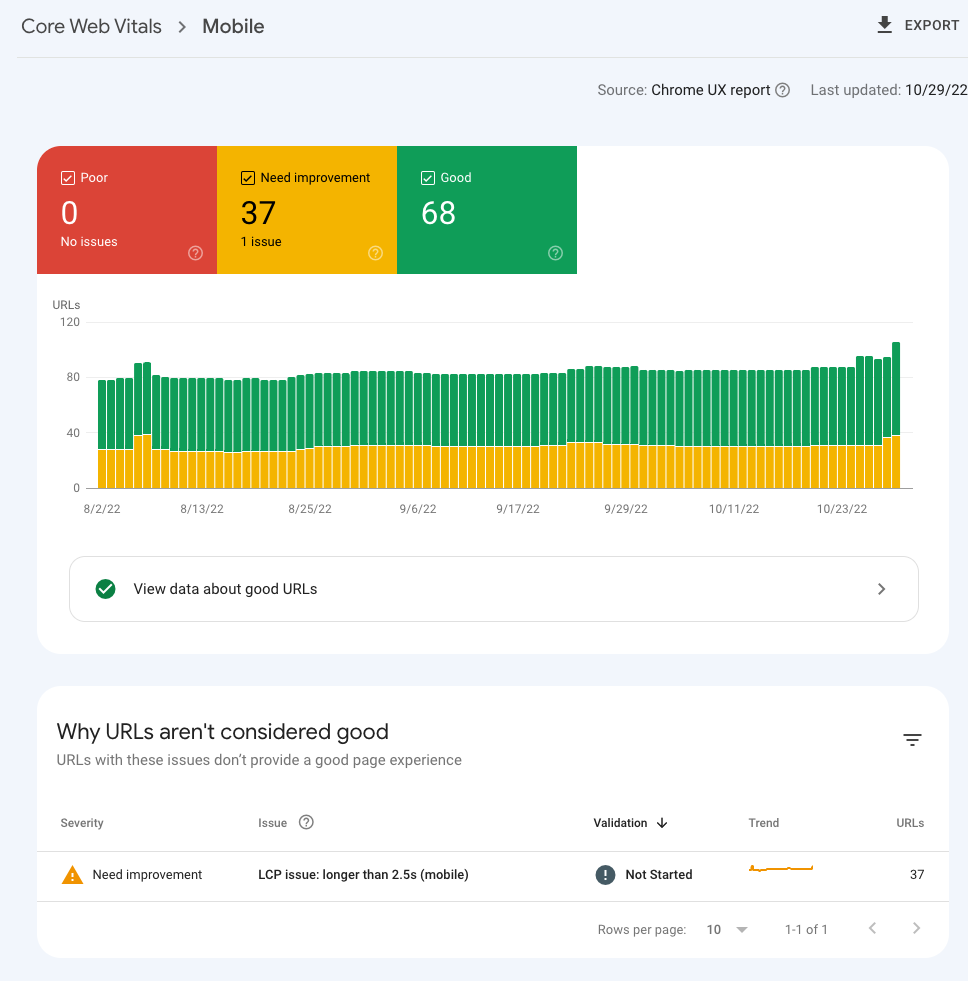
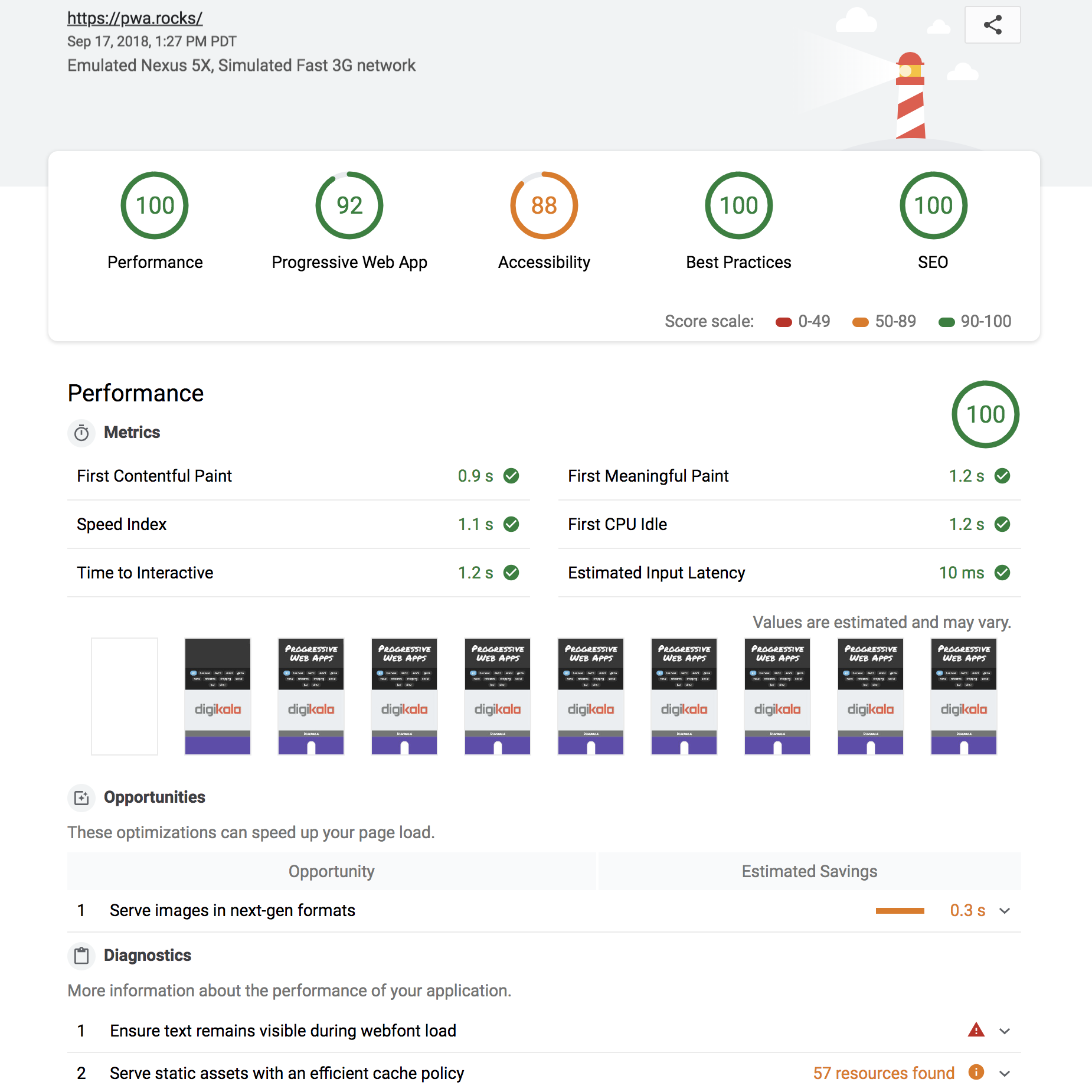
Page speed is not optional.
It impacts:
- Crawl efficiency
- Indexing frequency
- User experience
- AI content retrieval reliability
✔ Page Speed Checklist
- ☐ Largest Contentful Paint (LCP) under 2.5 seconds
- ☐ Cumulative Layout Shift (CLS) under 0.1
- ☐ Interaction to Next Paint (INP) optimized
- ☐ Images compressed and properly sized
- ☐ Next-gen image formats used
- ☐ CSS and JS minified
- ☐ No render-blocking resources
✔ How to Check Page Speed
- Google PageSpeed Insights
- Core Web Vitals report inside Google Search Console
- Lighthouse audits
- Screaming Frog or Semrush (must link your GSC account)
For AEO: AI systems favor stable, quickly accessible content. Slow, unstable pages reduce reliability signals.
5. Robots.txt: Control What Gets Crawled
Your robots.txt file acts as traffic control for bots.
Location:
yourdomain.com/robots.txt
✔ Robots.txt Checklist
- ☐ Block staging and dev environments
- ☐ Disallow internal search results pages
- ☐ Disallow parameters (UTM, etc.)
- ☐ Avoid blocking CSS/JS required for rendering
- ☐ Include sitemap reference
Example:
User-agent: *
Disallow: /wp-admin/
Disallow: /search/
Disallow: /tag/
Disallow: /utm*
Sitemap: https://yourdomain.com/sitemap.xml
Important:
Blocking via robots.txt prevents crawling — not indexing if URLs are discovered elsewhere. Use noindex when necessary.
For AEO: Clean crawl pathways reduce noise and improve structured clarity.
6. Logical URL Structure
Your URL structure should mirror your navigation and business logic.
✔ URL Structure Checklist
- ☐ Clear subfolder hierarchy (make sure your blog is in a subdomain)
- ☐ No random nested directories
- ☐ No duplicate trailing slash versions
- ☐ Hyphenated URLs
- ☐ Lowercase only
- ☐ No unnecessary parameters
Good Example:
/services/technical-seo/
Problem Example:
/blog/category/marketing/2024/technical-seo-post-v2-final-new/
Good Example:
/blog/technical-seo-post-v2-final-new/
For AEO: Logical structure strengthens entity grouping and topical clarity.
7. Subfolders Must Match Navigation
Navigation and URL architecture must align. This helps with user navigation and also breadcrumbs for search engine crawlers and AI platforms.
✔ Alignment Checklist
- ☐ Navigation categories match URL subfolders
- ☐ Breadcrumb hierarchy matches URL structure
- ☐ No pages floating outside logical structure
- ☐ Primary services clearly grouped
If navigation shows:
Services → Technical SEO
URL should reflect:
/services/technical-seo/
Misalignment creates confusion for both search engines and AI systems.
8. Breadcrumbs & Structured Hierarchy
Breadcrumbs reinforce contextual relationships and site navigation.
✔ Breadcrumb Checklist
- ☐ Breadcrumb navigation enabled
- ☐ Breadcrumb schema implemented
- ☐ Hierarchy matches URL structure
- ☐ No broken breadcrumb links
Breadcrumb schema can be detected in:
- Screaming Frog structured data tab
- Google Search Console rich results report
This reinforces structural clarity for both traditional search and AI parsing.
9. Subdomain Management
Random subdomains are a common crawl issues. It’s best practice for SEO to avoid subdomains and instead use subfolders.
Examples:
- blog.yoursite.com
- dev.yoursite.com
- staging.yoursite.com
✔ Subdomain Audit Checklist
- ☐ Confirm which subdomains should rank
- ☐ Block test environments
- ☐ Ensure canonical consistency
- ☐ Avoid authority fragmentation
Use:
- Google Search Console (add each property)
- Screaming Frog crawl to detect duplication
For AEO: Fragmented authority weakens trust signals.
10. Server & Status Code Monitoring
Technical stability supports crawl frequency and AI confidence.
✔ Status Code Checklist
- ☐ No persistent 5xx errors
- ☐ No soft 404s
- ☐ 301 instead of 302 for permanent moves
- ☐ No redirect chains or redirect loops
- ☐ HTTPS properly enforced
Unstable sites reduce crawl consistency.
Final Takeaway
Technical SEO is not outdated.
It is the infrastructure that makes AEO possible.
If your site:
- Isn’t crawlable
- Isn’t properly indexed
- Isn’t fast
- Has schema errors
- Has structural inconsistencies
Then neither Google nor AI systems will confidently surface your content. The brands winning in 2026 are not choosing between SEO and AEO. They are strengthening technical SEO — because answer engines depend on it.
Top Technical SEO & AEO FAQs for Better Rankings and AI Visibility
Why is crawlability and indexability critical for SEO?
Crawlability and indexability determine whether search engines and AI systems can access and store your content. If your pages can’t be crawled or indexed, they won’t appear in search results or be used in AI-generated answers. Ensuring clean crawl paths and a controlled index is the foundation of both technical SEO and AEO success.
How does technical SEO impact AI search and answer engines?
Technical SEO plays a critical role in AI extractability. AI systems rely on clean, structured, and indexed content to pull accurate answers. If your site has crawl issues, poor structure, or invalid schema, it reduces the likelihood of being referenced in AI-generated responses.
3. What are the most common technical SEO issues?
Some of the most common issues include:
- Pages not being indexed properly
- Broken links and crawl errors
- Slow page speed and poor Core Web Vitals
- Duplicate or thin content
- Incorrect canonical tags
- Missing or invalid structured data
These issues can limit both search rankings and AI visibility.
What is the difference between technical SEO and AEO?
Technical SEO focuses on making your site crawlable, indexable, and well-structured. AEO (Answer Engine Optimization) builds on that foundation by ensuring your content is easy for AI systems to extract and interpret. AEO does not replace technical SEO — it depends on it.
How often should you perform a technical SEO audit?
You should perform a full technical SEO audit at least quarterly, with ongoing monitoring through tools like Google Search Console. Regular audits help catch indexing issues, crawl errors, and performance problems before they impact rankings or AI visibility.
